Faraday Bookkeeping App – Free Desktop Bookkeeping

A privacy‑friendly, offline bookkeeping app for small UK businesses (no VAT/MTD) all at no cost.

Key Features & Functionality

  • Separate Demo & Live company databases
  • Sales & Purchase Ledgers, Banking, Journals
  • Built‑in User Guide and Terms & Conditions
  • Exchange rate updates and email invoicing (TLS)
  • No VAT – ideal for UK businesses under the VAT threshold

See below for operation instructions, security warnings, and how to uninstall or reinstall the app safely.

How the App Works

A quick overview of key features and day‑to‑day operation, based on the same behaviour as in the built‑in testing and configuration guides.

Key Features & Functionalities

  • Two completely separate modes: Demo (safe for testing) and Live (your real data).
  • Sales and Purchase Ledgers, Banking, Journals, Trial Balance and basic reporting.
  • Automatic database handling on first run – demo and live data files are created and stored in your user profile (AppData on Windows).
  • Exchange rate updates over the internet, with clear error messages if your connection blocks access.
  • Email sending for invoices/statements over TLS (e.g. port 587), with test‑connection tools and clear feedback.
  • Built‑in User Guide and Terms & Conditions, accessible from within the application.

Operation Instructions (Everyday Use)

  • On first launch, accept the Terms & Conditions, then choose Demo mode to explore safely.
  • Use the Demo company to learn posting sales, purchases, bank transactions and journals without risking real data.
  • Switch to Live mode once you are comfortable; keep regular backups of your live database using the backup tools provided.
  • Use the Settings screen to configure your email account (TLS on port 587 recommended) and test the connection before sending invoices.
  • Refer to the in‑app User Guide for step‑by‑step screenshots and detailed explanations of each screen.

Security Warnings When You Run the App

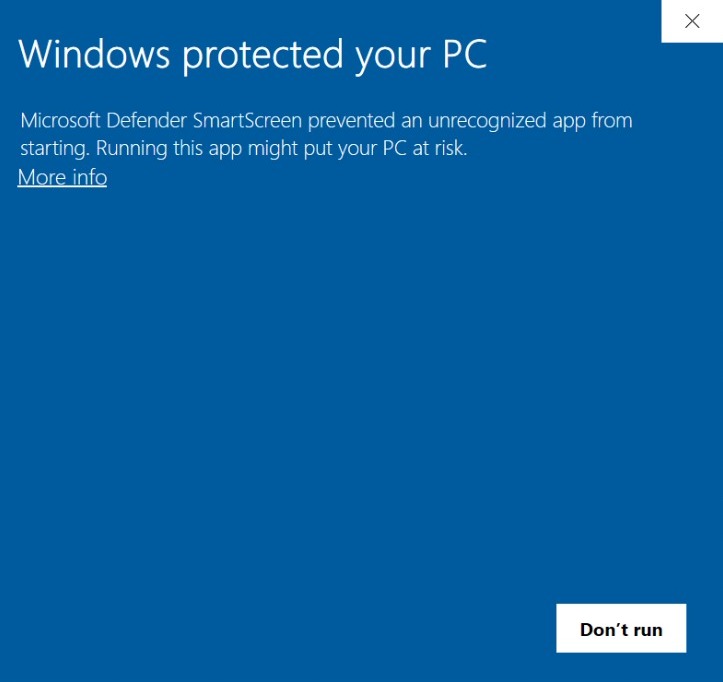
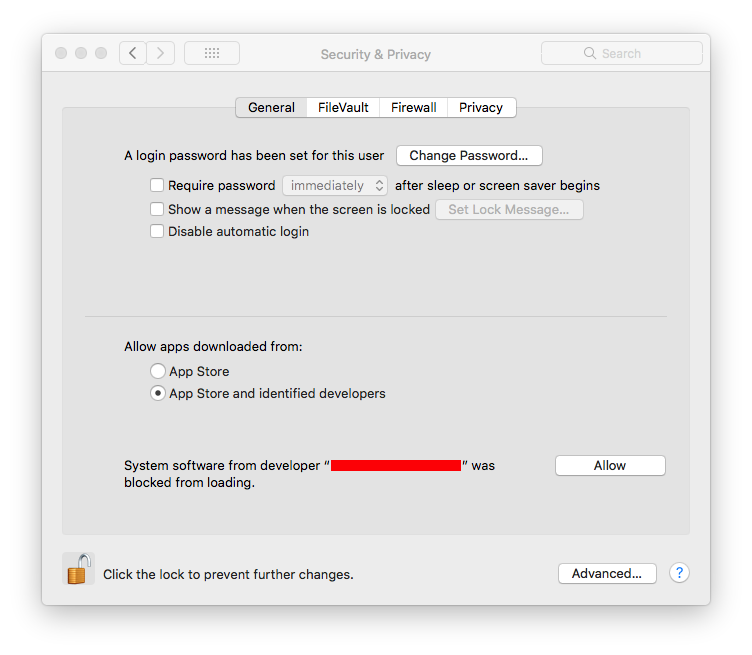
Because this software is not code‑signed with Microsoft or Apple, your system may show a security warning the first time you run it. This is normal for many small, independent apps. On Windows, use "More info" then "Run anyway". On macOS, use "Open Anyway" from Security & Privacy if prompted.

Windows example

Windows SmartScreen security warning with 'More info' and 'Run anyway' options

macOS example

macOS security warning with 'Open Anyway' option in Security & Privacy

After installation

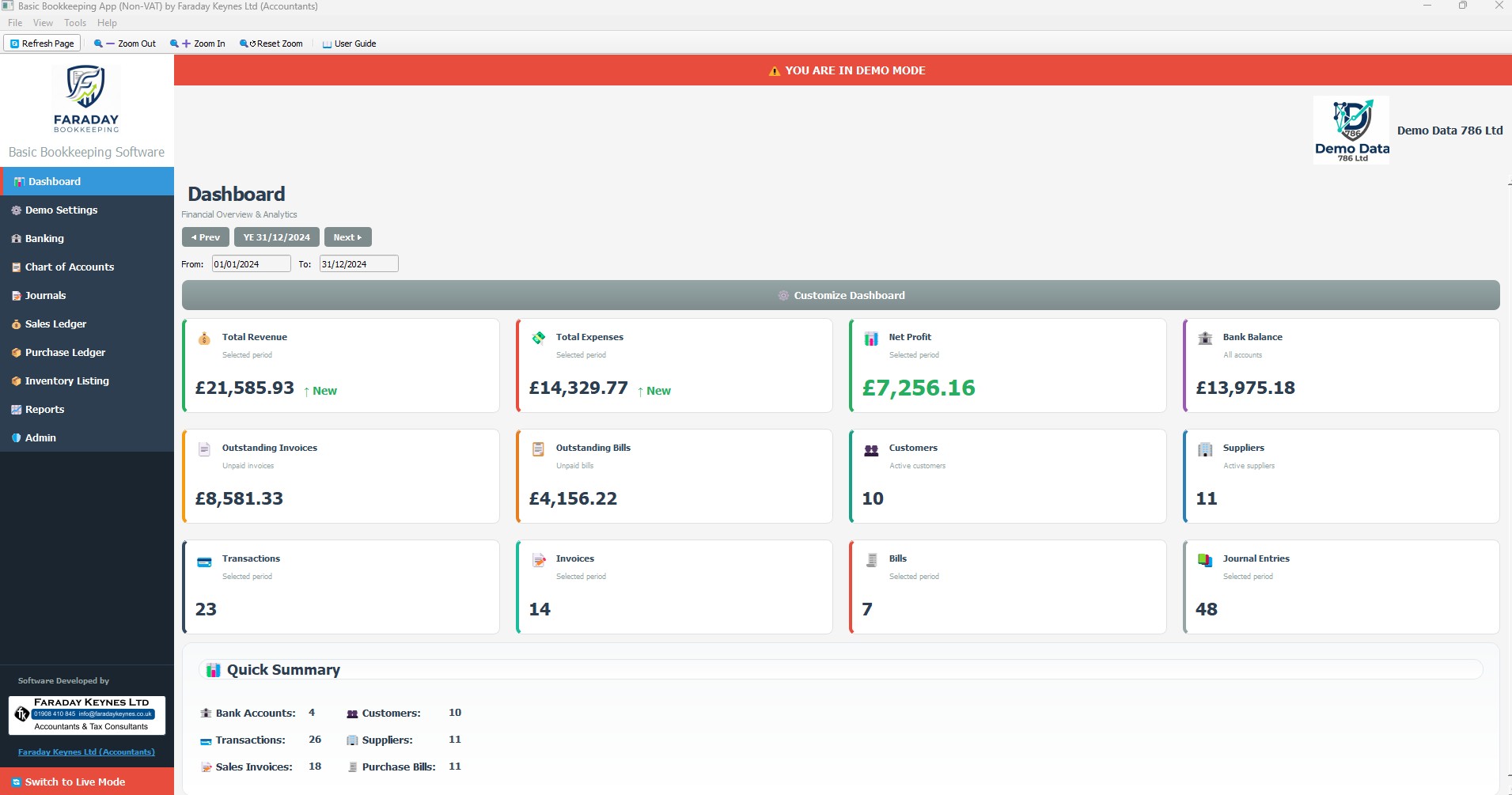
Once the application has been deployed or installed, you should see the main screen as below.

Faraday Bookkeeping App main dashboard after installation

This is the main dashboard of the app. From here you can access the Demo and Live companies, ledgers, banking, reports, the User Guide and more.

Updating the App

To get the latest version with bug fixes and improvements, download the new build from this page and install or replace your current copy.

Windows – Installer

  • Download the latest Windows installer from this page (after accepting the Terms & Conditions).
  • Run the new installer. It will update the existing installation; your data in %APPDATA%\Basic Bookkeeping is not touched.
  • If you prefer a clean update: back up %APPDATA%\Basic Bookkeeping, uninstall the old version, then install the new one. Your databases will still be in AppData.

Windows – Portable ZIP & macOS ZIP

  • Close the app. Download the latest ZIP from this page and verify the checksum.
  • Replace the old EXE (or app) folder with the new unzipped contents, or run from a new folder. Your data stays in AppData (Windows) or your user data folder (macOS).
  • Re-run the app from the new location. No need to move or re-import your databases.

Uninstallation and Reinstallation

If you need to remove or reinstall the app, follow the steps below. Always back up your data first.

Uninstalling removes the program files but does not delete your data in AppData. Your databases remain unless you delete them manually.

Windows – Installer Version

  • Go to Settings > Apps > Installed apps (or “Add or Remove Programs”).
  • Find Faraday Bookkeeping App in the list.
  • Choose Uninstall and follow the prompts.
  • Your data in %APPDATA%\Basic Bookkeeping is not removed by uninstall.
  • To reinstall, download the latest installer from this page and run it again.

Windows – Portable ZIP & macOS ZIP

  • If you are using the portable or macOS ZIP version, the “installation” is just a folder you unzipped.
  • To remove it, close the app and delete the unzipped folder.
  • On Windows, the working databases are in %APPDATA%\Basic Bookkeeping. They are not deleted when you delete the app folder.
  • On macOS, if you moved the app into Applications, drag it to the Trash to remove it.
  • To reinstall, download the latest ZIP from this page, extract it to a new folder, and run the app from there.

Get Updates by Email

Receive occasional updates when new versions of Faraday Bookkeeping App are released, along with important notes about bug fixes and improvements.

Subscribe

* indicates required

Intuit Mailchimp

Please Support Imran Khan Cancer Appeal (IKCA)

This app is completely free to use, and a lot of care and hard work has gone into building it. If you find it useful, I would be grateful if you would consider supporting a charity that is very close to my heart.

Imran Khan Cancer Appeal (IKCA) is a UK‑based charity that supports life‑saving cancer care in Pakistan. Through IKCA, donations help fund the Shaukat Khanum Memorial Cancer Hospitals, which provide high‑quality treatment to thousands of patients every year – many of whom cannot afford to pay for their care. A large proportion of patients receive completely free treatment, funded by generous donors through zakat and sadaqah.

The charity was founded by Imran Khan, legendary Pakistan cricket captain and 1992 Cricket World Cup winner. After losing his mother, Shaukat Khanum, to cancer, he dedicated himself to building a world‑class cancer hospital in her memory. His journey – from cricketing hero to humanitarian – has been deeply inspiring: a son’s love for his mother transformed into a mission to offer hope and dignity to families facing cancer with no means to pay for treatment.
IK channelled his global influence and the support of figures like Jemima Goldsmith and Princess Diana to build the country’s first specialized cancer hospital.

By supporting IKCA you help fund free or subsidised cancer treatment, hospital equipment, specialist staff, and new projects such as additional cancer hospitals in Pakistan. Even a small donation can make a very real difference to someone’s life.

Donate to Imran Khan Cancer Appeal

Why IKCA?

  • Funds free and subsidised cancer treatment for the poor.
  • Supports state‑of‑the‑art cancer hospitals in Pakistan.
  • Transparent use of donations, including zakat.
  • Founded in memory of Imran Khan’s mother, Shaukat Khanum.

If this app saves you time or money, please consider sharing some of that benefit with patients in need through IKCA.

Downloads

Download the latest version of Faraday Bookkeeping App. Please read and accept the Terms & Conditions before downloading.

Windows – Installer (.exe)

Recommended for most users. Installs to Program Files and appears in "Add or Remove Programs" for easy uninstallation.

Download Windows Installer

Windows – Portable ZIP

No installer. Unzip and run directly. Ideal for USB sticks or portable environments.

Download Windows Portable ZIP

macOS – ZIP (GitHub build)

macOS build prepared via GitHub Actions. May require allowing the app in Security & Privacy on first run.

Download macOS ZIP

Verification file

Download SHA256SUMS.txt – official checksums for all downloads.

File Verification (Checksums)

After downloading, run the hash command on your computer (PowerShell: Get-FileHash -Algorithm SHA256 "filename.zip"; Command Prompt: certutil -hashfile "filename.zip" SHA256; macOS/Linux: shasum -a 256 filename.zip). Paste the hash you get into the box below for the matching file.

There is no other official source for these files. Do not download from anywhere else or accept ZIP files from anyone else. Do not risk your machine.

File name (official) Expected SHA‑256 Your hash (paste, then Check) Result
Basic-Bookkeeping-Software-macOS-DMG.zip 3e8050d2aee878332450bfef42c5f804b26b8f90832ff07c798a7759724f52b9
Basic_Bookkeeping_Portable_FK.zip 940013e4f22123aac2bbf911e74eb385e58380ef3f5152647fa70e3af00a312b
Basic_Bookkeeping_Setup_FK.zip 2acb5166e30d552fa91ae8097ef2a6b846926cbcfbe2f09ec48bb1e93c2f9dcd

Tip: When copying the checksum, do not include any spaces. If you see a mismatch, double‑check the long checksum, then delete your existing ZIP and unzipped folder and download again from this page only.

To download, you must read and accept the Terms & Conditions.